Jackbit App and Mobile Play: browser, web app and safe access
 Available in GB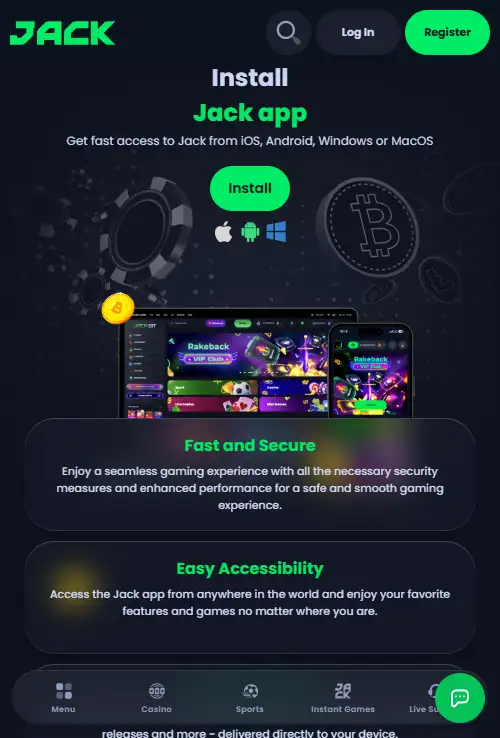
Table of Contents
- What the current mobile route looks like
- The Jackbit app search now leads to Jack.com's web app
- Web app, PWA and native app are not the same thing
- How to install the current Jack web app on mobile
- Mobile play uses the same casino categories
- Your account does not change when you switch screens
- How to recognise an unrelated app-store result
- What a web app can and cannot tell you about safety
- Mobile access under the current brand
- A reliable home-screen shortcut
- Using the cashier on a small screen
- Why Jack works better as a mobile site than an app search
Section element
The current official mobile route for Jackbit is now on Jack.com, and Jack’s own install page presents the product as a browser-installed web app rather than a conventional download from Apple App Store or Google Play. On iPhone and Android, the official instructions begin at Jack.com in Safari or Chrome and add the web app from the browser. That distinction matters because searching an app store for a short name such as “Jack” can surface unrelated products.
For UK readers, the safest approach is therefore to start from the current Jack.com domain, use the site’s own install instructions if you want an app-like icon, and treat any separate store listing as unrelated unless the operator itself links to it. The mobile experience uses the same current brand and account rather than a second Jackbit-only account.
The Jackbit app search now leads to Jack.com’s web app
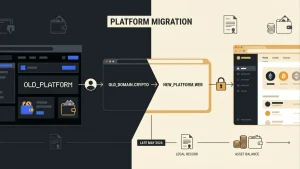
The Jack.com name followed the completed Jackbit transition announced on 29 May 2026. That means searches for an old “Jackbit app” can mix legacy references with the current brand. The practical mobile destination is Jack.com, not a separate legacy product. If you want the wider context around the rename, the Jackbit-to-Jack.com transition page explains what changed and what carried over.
Jack’s current app page describes installation for iOS, Android, Windows and macOS, but the important part is how installation begins: from the website itself. On mobile, the page gives browser-based steps and calls the result a web app. That is different from finding a native casino binary in an app store, even though the finished shortcut can look and behave much like a normal app icon on the home screen.
For the broader Jack.com product beyond mobile access, consult complete Jackbit casino review.
Web app, PWA and native app are not the same thing
A web app or progressive web app is delivered through the browser and can be installed or pinned from a supported browser. It can open in its own window, place an icon on the home screen and reduce the visual clutter of browser tabs. The underlying service still comes from the website rather than from a native package downloaded through an app-store listing.
A native app is distributed as an iOS or Android application package through a store or another explicit native distribution route. Jack’s current official instructions point users back to Jack.com and browser installation. That is why an app-store search is the wrong place to authenticate the casino’s current mobile product.
The safest check is the source, not the icon
An icon on a phone proves very little by itself. Start at Jack.com, open the official app/install page and follow the live browser instructions. If a store result, download page or message cannot be traced back to the operator’s current domain, do not treat it as the Jack casino app.
How to install the current Jack web app on mobile
Jack’s current guide separates mobile instructions by browser. On iOS it directs users to open Jack.com in Safari and use the browser’s sharing controls to add the web app. On Android it provides a Chrome route. Exact menu wording can change with browser and operating-system updates, so the live guide is more reliable than a static image copied from an older review.
| Step | What to check | Why it matters |
|---|---|---|
| 1. Open the site | Type or verify the Jack.com domain before signing in | This avoids old Jackbit lookalikes and unrelated app pages |
| 2. Open the install guide | Use Jack’s own app page and choose the instructions for your browser | The operator can update the current method when browser menus change |
| 3. Add the web app | Use the browser’s install or add-to-home-screen control | The shortcut is created from the operator-controlled website route |
| 4. Recheck the first launch | Confirm the destination still resolves to Jack.com | A familiar icon should not replace a domain check |
Mobile play uses the same casino categories
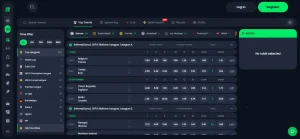
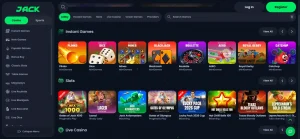
The current Jack casino navigation exposes the same main product categories on the web platform, including slots, instant games, live casino and crash games. On a phone, the difference is primarily navigation and available screen space, not a separate mobile-only game catalogue. The Jackbit Games page covers the broader library, while the Jackbit Live Casino guide focuses on dealer tables and region-dependent availability.
Do not assume that every individual game visible on desktop will run on every phone, browser or location. Provider restrictions, game-specific device requirements and regional filtering can change at title level. The useful check is the live lobby on the device you actually intend to use.
Your account does not change when you switch screens
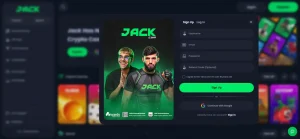
The mobile route belongs to the same current Jack account. If you already had a Jackbit account before the rebrand, current brand material says the account, balance and VIP status carried over. A move from desktop browser to mobile browser is therefore not a reason to create another account. The Jackbit Registration page explains the current signup and account-continuity position in more detail.
Use the same basic security discipline on a phone that you would on desktop: keep control of the email used for the account, use a unique password, and avoid entering credentials after following an unfamiliar link in a message, forum post or advert. Mobile screens often shorten or hide parts of a URL, which makes the source check more important, not less.
How to recognise an unrelated app-store result
Short brand words are not unique. A listing can contain “Jack” or “Jackbit” in its title without belonging to Data Link Digital B.V. or the current casino. The strongest signals are the developer identity, the linked website and whether Jack.com itself sends users to that listing. If those pieces do not line up, the name alone is not enough.
This is also why images from a store search are weak evidence of an official casino app. A current operator-controlled install page is a better navigation source. The current page tells users to install a web app from the Jack.com site itself.
What a web app can and cannot tell you about safety
The delivery format does not decide whether a gambling service is licensed for a particular market. A native app can belong to an unlicensed operator, and a browser-based product can belong to a licensed one. Mobile installation should therefore be separated from licensing questions. The Jackbit licence and operator page checks the current operator and Curaçao licence record, while the UK-specific regulatory framework is handled separately.
The web-app route does have one practical security advantage for navigation: you can begin from the operator’s current HTTPS domain rather than trusting a search result in an app store. That still does not replace normal checks around account security, payments or the regulatory status relevant to where you are located.
Mobile access under the current brand
Jack’s browser-based mobile experience is reached through its current site. A home-screen shortcut is convenient, but it does not create a second account or independently establish the ownership of a destination. Check the domain when opening an old bookmark, and use the same account details across screens.
A reliable home-screen shortcut
A home-screen icon created from a browser is a convenient shortcut to the site. It is not the same as installing a separately distributed application from a store, and its presence does not independently establish who operates the destination. Look at the address in the browser when first creating the shortcut and again when returning after a long absence, especially if a bookmark still uses the Jackbit name.
Browser-based access also means routine browser changes can affect the experience. A cleared site session can require another sign-in, while browser permissions can change without anything happening to the casino account itself. The sensible distinction is between a device-level shortcut, a browser session and the account held by the operator.
Using the cashier on a small screen
For a cryptocurrency payment, the most important mobile detail is not how quickly the screen opens. It is whether the complete coin, network and destination address can be read without guessing. Zoom or use a larger display if text is truncated. A wallet application and the casino cashier must describe the same network before a transfer is sent.
If a mobile wallet hands an address back to the browser, inspect the pasted value before confirmation rather than assuming every transfer between applications is correct. Likewise, do not take a successful return to the casino page as proof that the blockchain transaction has been completed. The payment screen and the blockchain status describe different stages.
Why Jack works better as a mobile site than an app search
For someone searching “Jackbit app”, the most reliable route is to start with the current Jack.com domain and install the web app from there if an app-like shortcut is useful. That avoids relying on a short brand name inside an app store, where unrelated products can appear. The same Jack account carries across browser and mobile use, while individual games can still depend on device, provider and region. In practical terms, verifying the domain is more important than finding an icon labelled Jack.